HealthAspect

A front-door kiosk for hospitals

Directions, parking and visiting at the front desk. Check-in at the emergency department. Bookings and family updates in day surgery. Your staff look after the people who need a person.

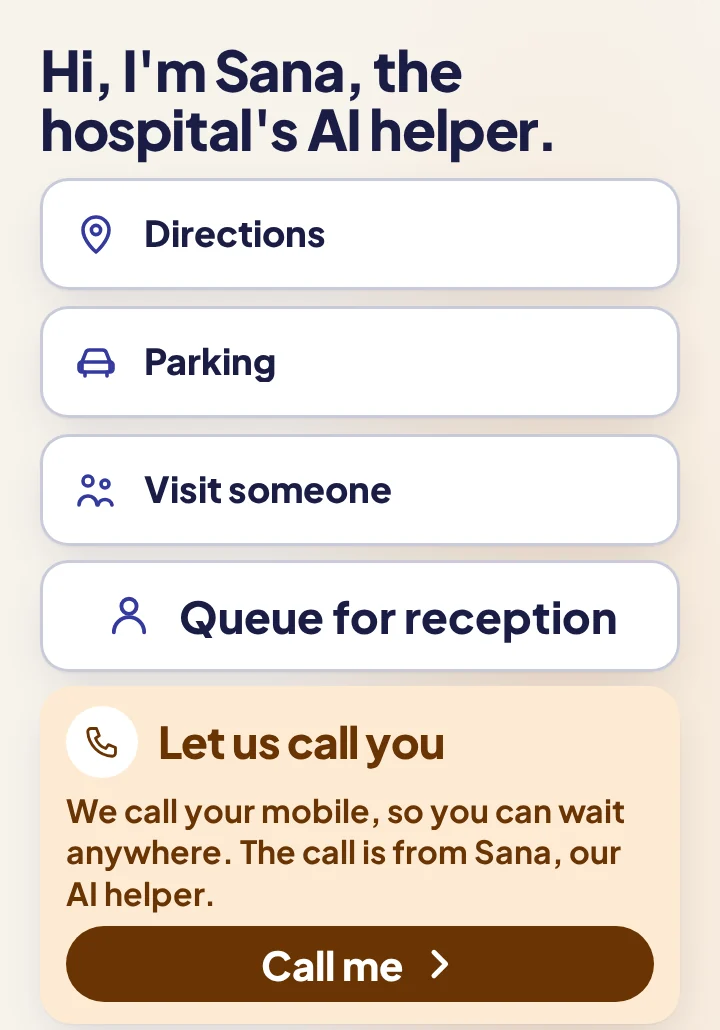
Front desk touch screen: Hi, I'm Sana, the hospital's AI helper. Directions, Parking, Visit someone, Queue for reception, and Let us call you.Front desk
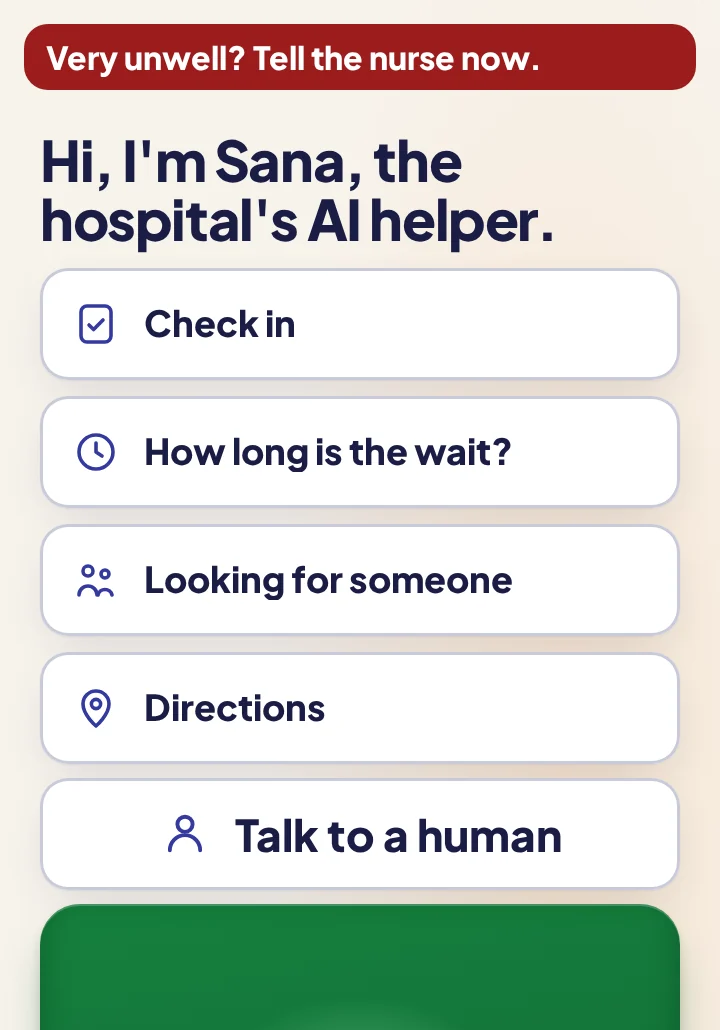
Emergency department touch screen: Very unwell? Tell the nurse now. Check in, How long is the wait?, Looking for someone, Directions, Talk to a human.Emergency
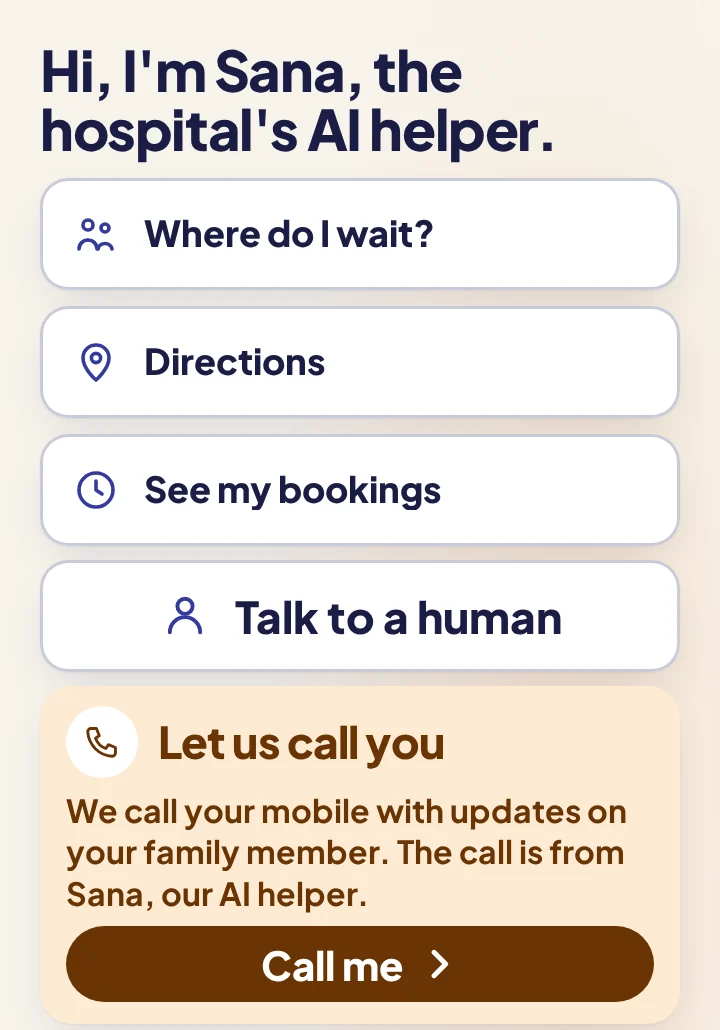
Day surgery touch screen: Where do I wait?, Directions, See my bookings, Talk to a human, Let us call you.Day surgery

Swipe to see each one.

Three settings, one system.

Most questions at a hospital front door aren’t medical. Where do I park? Where’s the ward? How long will it be?

What it could do at each door

Front desk. Find the way. Skip the line

Directions with a map on the big screen, and a code to take it with you on your phone. Parking and visiting hours. “Queue for reception” gives people a number so they can wait where they like, and “Let us call you” has Sana call their mobile, so they can wait anywhere.
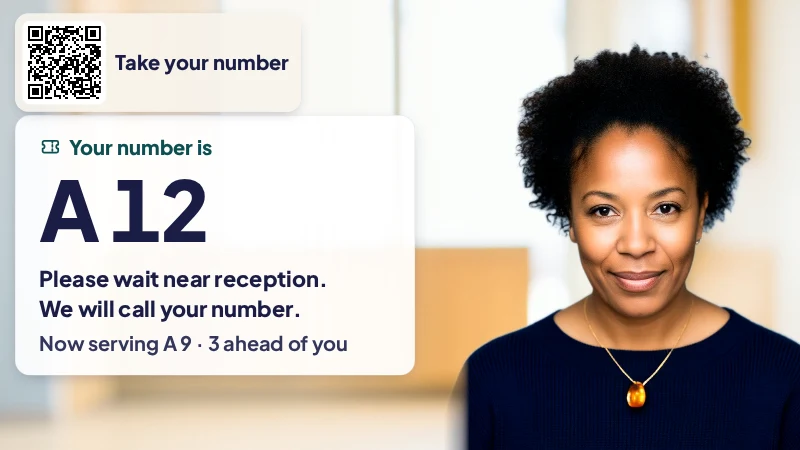
The front desk big screen: your number is A 12, please wait near reception, now serving A 9, 3 ahead of you.

Emergency department. Check in, then see the nurse

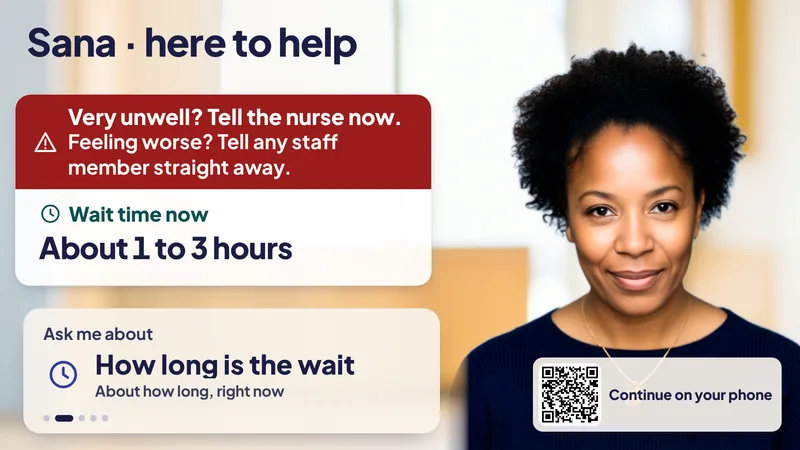
People check in on the screen, or scan a code and do it on their phone, then queue at the triage window as usual. Their code is how the nurse calls them, not their place in line. The wait shows as a rough guide, with a plain reminder that the sickest people are seen first. “Very unwell? Tell the nurse now.” stays at the top of the screen.

The emergency big screen: very unwell? Tell the nurse now. Wait time now about 1 to 3 hours.

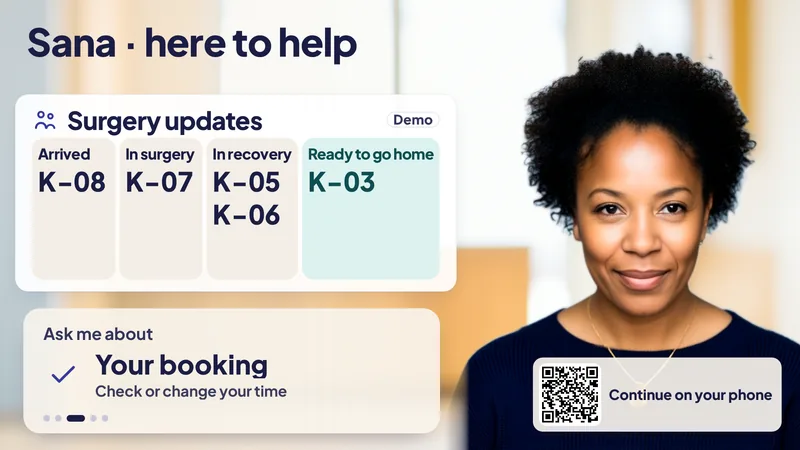
Day surgery. Families know where things are up to

Patients see and change their bookings, and find where to wait. With their yes, family can follow the day on their own phone: checked in, in surgery, waking up, ready to go home. No name and no health details.

The day surgery big screen: surgery updates by code, from arrived and in surgery to in recovery and ready to go home.

Talk or tap, in the languages set up for each hospital. It never says who is in hospital: it shows the way to the ward, or gives the ward’s phone number.

What it’s designed not to do

  • Judge symptoms or give medical advice. It tells people to tell the nurse.
  • Promise a wait time. Any wait it shows is a rough guide.
  • Say who is in hospital, or show names on screen. Screens call people by a code.
  • Handle anything urgent itself. “Need help now? Tell any staff member.”

Staff control it from the kiosk with a PIN. In a build, we’d set up the directions, parking, visiting hours and answers with your team. What a build keeps, who sees it and where it lives go in its spec, agreed before anything goes in.

See it at your front door

A short demo, set up as a hospital.